You open your phone and there is a message from your cousin: “Why are you sending me links to this weird website?” You did not send anything. Or you try to log in and Facebook says your password is wrong, even though you know it is right. Either way, you are suddenly locked out of a piece of your life. If your Facebook account was hacked, this guide walks through every step to get it back and keep it, in plain language.
How to Tell Whether Your Account Has Actually Been Hacked
Before assuming the worst, rule out simpler explanations. A forgotten password or a temporary login error is not a hack. The signs of a real intrusion are more specific:
- You get a login alert from a device or a city you do not recognise.
- Friends report messages or posts from you that you never sent.
- The email address or phone number on your account has changed, and you did not change it.
- Facebook emails you to say your password was recently changed.
- Your name, birthday or profile photo has changed, or ads are running from your account.
To see who is logged in, open Facebook and go to Settings & privacy > Settings > Accounts Center > Password and security > Where you’re logged in. Facebook lists every device and approximate location with an active session. An unfamiliar device in a place you have never been is not a glitch.
Some attackers sit quietly inside an account for days before doing anything visible, so seeing no strange posts does not always mean you are safe.
Step by Step: How to Recover a Hacked Facebook Account
If you can still log in
Act immediately. In Accounts Center > Password and security, change your password to a new one you have never used anywhere. Then open Where you’re logged in, select every device you do not recognise, and log them out. Finally, check that the email address and phone number on your account are still yours.
If you cannot log in
Go to facebook.com/hacked, typing it into your browser yourself. This is Facebook’s official starting point for compromised accounts. It is a different process from a normal password reset, so use it rather than the general login help page.
Check your email first. When someone changes the email address on your account, Facebook usually sends a message to your old address from security@facebookmail.com. It includes a link to reverse the change and secure your account. Use it as soon as you can, because it often works even after the hacker has changed your password.
If Facebook cannot confirm who you are automatically, it may ask for a video selfie, which it compares with photos on your profile, or a photo of a government-issued ID such as a passport or driving licence. The section below explains why that is worth thinking about. For now, it is often the only route back in.
On timing: some people get their account back within hours, while others wait several days for a review. There is no reliable way to speed it up from outside.
Warn your friends
Whether or not you can log in yet, tell your contacts through another channel, such as a text or another social account, that your Facebook was hacked. Ask them to ignore any messages from it asking for money, codes or clicks. This protects them, and it often brings fast reports to Facebook that help your case.
Beware of “Recovery” Scams
People locked out of Facebook are a favourite target for a second wave of scams. If you post publicly that you were hacked, expect replies from accounts offering to recover it for a fee, often claiming to be “ethical hackers” or Meta support staff.
They are scammers. Meta does not contact users through comments or direct messages, and nobody outside Facebook can restore your account. Never pay anyone, and never share a login code that has been sent to your phone.
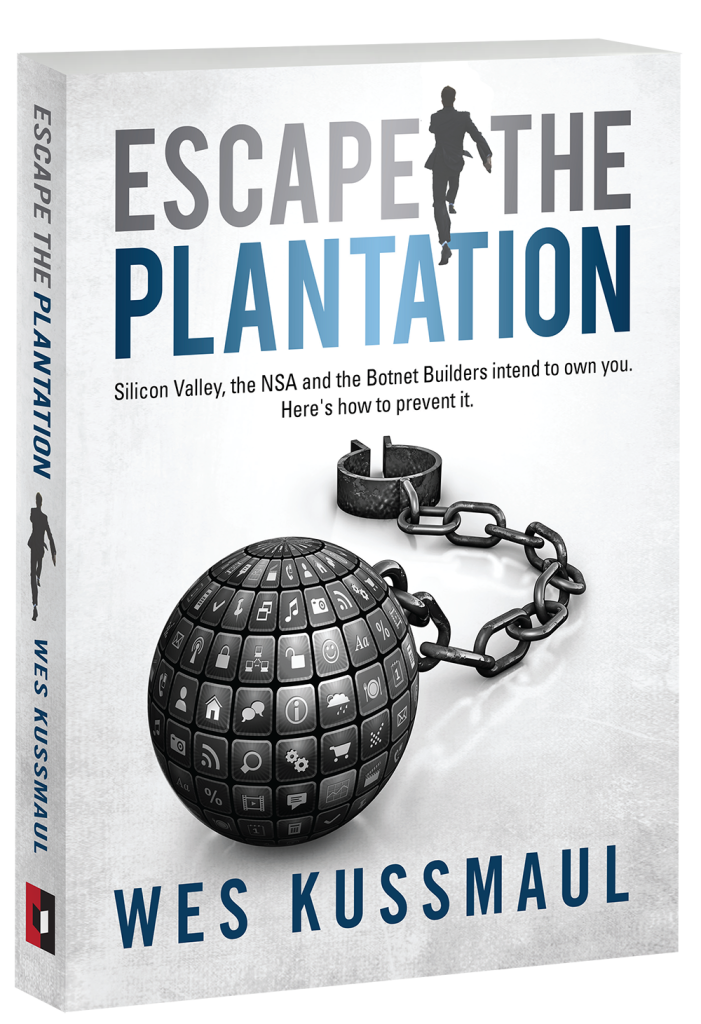
Hackers and fake helpers both get away with it because a Facebook account is protected by a password, not by proof of who you are. That gap is the subject of Wes Kussmaul’s Escape the Plantation, and you can get a free copy at the end of this article.
What Happens to Your Data While Someone Else Is in Control
A person inside your account can read every private message you have sent, see your full friends list, browse your Marketplace history and build a detailed picture of your daily life. Your profile is, in a real sense, a version of you that your contacts trust. Whoever controls it controls that trust.
Most hackers are not trying to embarrass you. They want to use your account to send scam links or requests for money to your friends, because a message that seems to come from you is far more convincing than one from a stranger. Others sell the access, or use any card saved in your account to run ads.
If you had a payment card linked to Facebook, check your bank statement and Ads Manager for charges you did not make, and contact your bank about any you find.
Many takeovers start with credential stuffing: criminals take email and password combinations leaked from other websites and try them on Facebook. If you used the same password on a site that was breached years ago, it may already be on a list being tested against Facebook logins today. You can see whether your email has appeared in a known breach at haveibeenpwned.com.
Locking the Door After You Get Back In
- Turn on two-factor authentication. In Accounts Center, go to Password and security, then Two-factor authentication. An authenticator app is safer than text-message codes, which can be intercepted. Save the backup codes Facebook gives you somewhere safe and offline.
- Use a unique password. Not a variation of another password, but a completely different one. A password manager makes this easy. Where Facebook offers a passkey, use it.
- Turn on login alerts in Password and security, so you are told every time a new device signs in.
- Remove apps you do not use. Go to Settings & privacy > Settings > Apps and websites and remove anything you do not recognise. Each connected app is another way in.
- Secure your email account too. Whoever controls your email can reset your Facebook password. Give it a unique password and two-factor authentication as well.
The Privacy Trade-Off Facebook Does Not Advertise
Getting your account back can mean handing Facebook more identifying information than you have ever given it: a scan of your passport, a video of your face, a phone number. That information goes into Meta’s identity checking systems, under Meta’s rules.
This is part of a wider pattern. Each time a platform asks you to prove who you are, it builds a more complete record of you, and that record has value to the platform whatever you think about it.
For most people, the trade-off is worth it to get their account and their digital identity back. But it is a trade-off, and you deserve to know about it before you upload your passport.
When Facebook Will Not Help, and What to Try Next
Facebook’s automated recovery does fail. If a hacker changed your email and phone number within minutes, the system may be unable to confirm that you are the original owner.
In that case:
- Try again from a familiar device. Start the recovery at facebook.com/hacked on a phone or computer you have logged in from before, on your usual Wi-Fi. Facebook trusts known devices more.
- Ask friends to report the account as hacked from your profile, using the three-dot menu.
- Consider Meta Verified. This paid subscription includes access to account support. It only helps if you can still subscribe from a linked account, such as your Instagram, so check that before paying.
- Use your data protection rights. In the UK, you can complain to the Information Commissioner’s Office. In the EU, complain to your national data protection authority; Meta’s lead regulator there is Ireland’s Data Protection Commission. Outcomes vary and the process is slow, but it is a formal route.
- Report identity misuse. In the US, if the hacker used your account to impersonate you or commit fraud, report it at IdentityTheft.gov. In the UK, report fraud to Action Fraud, or to Police Scotland on 101.
Be realistic: if Facebook cannot verify you as the owner, recovery may not be possible. This is a real weakness of identity held by one private company. Your account exists at Facebook’s discretion, and when its systems get it wrong, there is no fast appeal. Our guides on appealing a banned account and how platform appeals actually work cover that side of the problem.
Frequently asked questions
How do I recover my Facebook account if it was hacked?
Go to facebook.com/hacked and follow the steps. If the hacker changed your email address, look for a message from security@facebookmail.com in your old inbox and use its link to secure your account. Facebook may ask for a video selfie or a photo of your ID to confirm who you are.
How do I recover my Facebook account if the hacker changed my email and phone number?
Use the “secure your account” link in the email Facebook sent to your old address, then start recovery at facebook.com/hacked from a device you have used before. If Facebook still cannot verify you, it will usually offer identity confirmation with a video selfie or ID.
How long does it take Facebook to restore a hacked account?
Anything from a few hours to several days, especially if identity verification is needed. There is no guaranteed timeline, and anyone who promises to speed it up for a fee is a scammer.
Do I have to submit a photo ID to get my Facebook account back?
Not always. If Facebook can confirm you through your email, phone or a known device, you may not need to. If the hacker changed those details first, Facebook will likely ask for a video selfie or a government-issued ID.
How do I stop my Facebook account from being hacked again?
Turn on two-factor authentication with an authenticator app, use a password you use nowhere else, turn on login alerts, and secure the email address linked to your account. Those steps block the most common attacks.
Related reading
- My Account Got Banned: How to Appeal and What to Expect
- Banned by Mistake: How Platform Appeals Actually Work
- Your Email Was Shared Without Asking: Know Your Rights
- Digital Identity Explained: What It Is and What It Isn’t
Accounts get hacked because they are guarded by passwords, not by who you are, and anyone holding your password becomes “you” to your friends. Wes Kussmaul’s Escape the Plantation explains why the internet was built this way and how identity you own and can prove would end account takeovers. Enter your email below to get your free copy and follow CDM Worlds’ work on safer online communities.